
Upgrader
Upgrader
Upgrader
8.1/10
Payment methods
Cards
Cards
Cryptocurrency
Cryptocurrency
ApplePay
ApplePay
Gift Cards
Gift Cards
Skinsback
Skinsback
Games on the website
Upgrade

Upgrader — CS2 skin upgrades, odds, and withdrawals
Upgrader.png

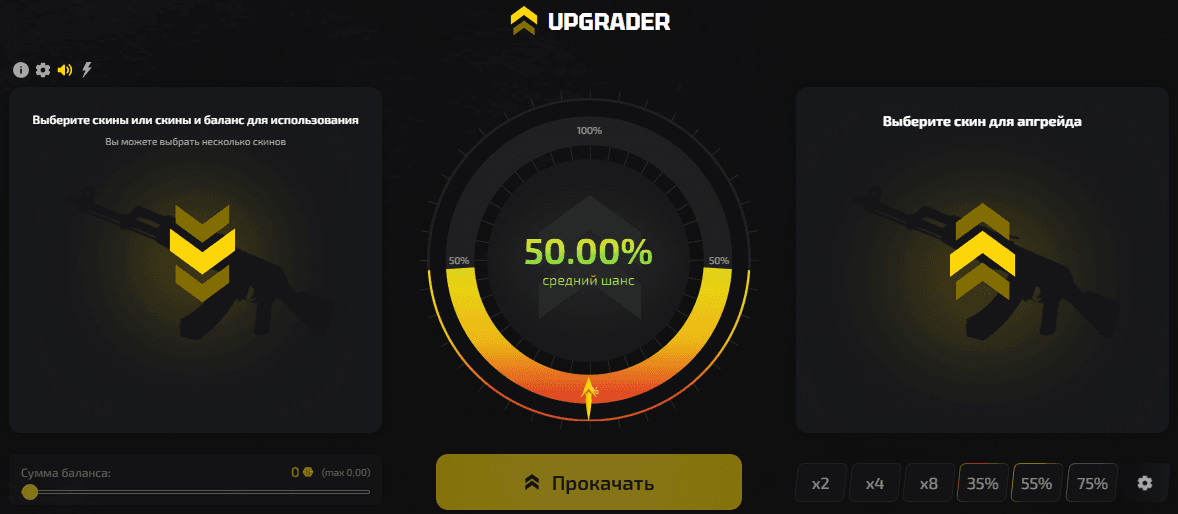
Upgrader.pro focuses on upgrading CS2 skins instead of opening standard cases. The player picks one or more skins (site balance can also be used), then selects any skin from the list to see the calculated chance of a successful upgrade. You can use items from your own inventory or skins from the Store using your site balance.

Below is our team's full breakdown of the platform and how it performed in our tests.

How upgrades differ from opening cases

Instead of a preset pool of possible drops from a case, Upgrader uses a modified, expanded take on CS trade-up contracts. You set the input value yourself and choose the skin you want to get. Unlike a standard trade-up, Upgrader has a success roll. The more expensive the target skin is compared with your stake, the lower the chance of a successful upgrade.

If the upgrade hits, the target skin goes into your inventory; if it misses, the skins you put in are lost. You can immediately use a won item in another, more expensive upgrade, but chaining upgrades like this raises the risk of losing.

Choosing items, a target skin, and calculating the odds

You can combine several items into one upgrade if one item alone is not enough to reach the upgrade chance you want. 

To start an upgrade:

  1. Choose one or more skins from your inventory or the Store.
  2. Choose the skin you want to upgrade to from the list.
  3. Click the "Upgrade" button.
  4. Get the upgraded skin or a consolation prize from a case after a loss.

We recommend choosing a percentage that balances the odds with the value of the skins you put in, because even a 99% chance can still lose.

Upgrade modes and settings
Features.png

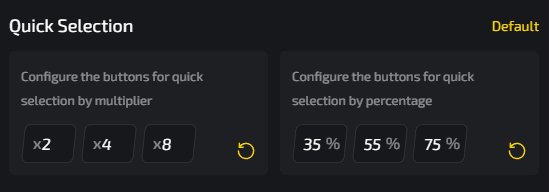
Users have several ways to speed up skin selection and the upgrade process.

You can choose a preset multiplier:

ModeWhat it does
x2Upgrade target is 2x the input value, the middle-ground option
x4Upgrade target is 4x the input value, a riskier option with a below-average success chance
x8Maximum 8x price gap, with the lowest upgrade chance among the presets

There are also presets for upgrade chance:

  • 35% - the riskier preset;
  • 55% - the middle option;
  • 75% - a higher calculated chance.

You can also click the lightning icon above the selected skin to turn on the fast animation.

All these presets are meant to save time when picking skins for a specific upgrade. Instead of manually picking Consumer Grade items from your inventory for an upgrade to an AWP | Gungnir, you can put together the upgrade with what you already have in a couple of clicks.

How we tested the upgrade
Prize.png

We set aside a $120 budget to test the site, topped up our balance, and selected skins from Upgrader's Store.

SkinPrice (USCOINS)
SSG | Big Iron10.04
MP9 | Latte Rush10.14
AWP | Duality10.10
Souvenir Glock-18 | Candy Apple15.05
P2000 | Imperial Dragon15.00
Glock-18 | Brass30.07
MAC-10 | Disco Tech30.26

We ran every upgrade using the available presets, but we did not manage to hit a single upgrade at 35% or with the x8 preset.

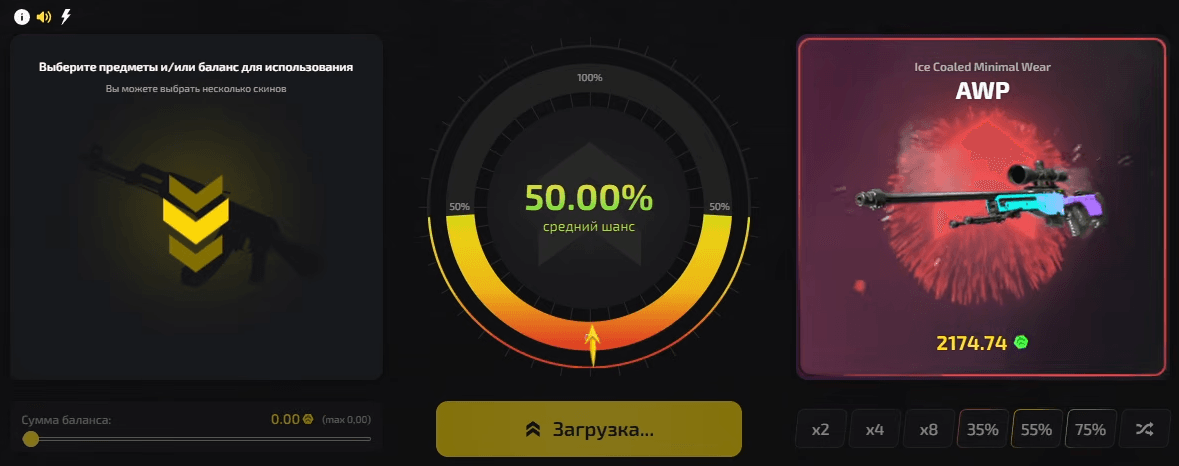
Our biggest hit came on the x4 preset, when we put in an item from a consolation case: Sticker | m0NESY (Holo) | Copenhagen 2024 worth 7.08 USCOINS. It upgraded into an AWP | Ice Coaled worth 25.49 USCOINS.

The upgrade experience was pretty good, especially compared with regular trade-up contracts. Good-looking animations, easy skin selection from the inventory and for the upgrade target, and a solid set of features are all major positives for Upgrader. The cases you get after a failed upgrade also let you keep upgrading skins.
Skin catalog and site balance

SkinCatalog.png

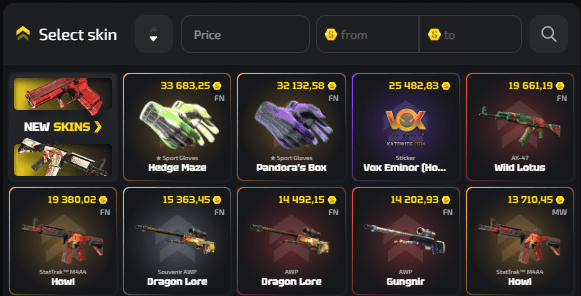
The catalog separates the user's own skins from items available as upgrade targets. 

In both the Store catalog and the upgrade catalog, you can filter skins by:

  • Price range;
  • Price, low to high or high to low;
  • Wear level in the search box, plus an option to show only StatTrak™ skins.

The site balance can be used on its own or together with skins. It acts as an extra source of funds for upgrades and is tied to the deposit and bonus system.

Deposit methods

Payment.png

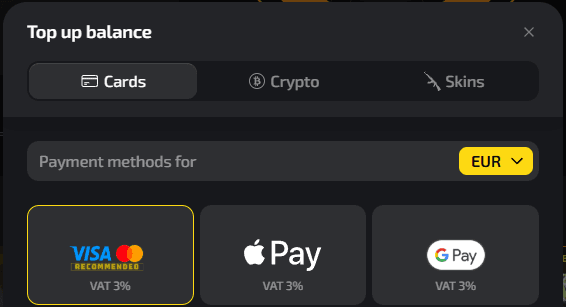
Upgrader offers three different deposit methods, and all payments are processed within 30 minutes.

Deposit methodDescription
Bank cardsUsers can deposit in 10 currencies, with payment methods tied to each one
Gift cardsGift cards can be purchased in the "Cards" section by choosing the payment method with the blue gift card icon
Crypto walletsUSDT TRC, USDT BSC, USDT Ton, USDT ERC, USDT POLY, TRX, Ton, Ethereum, SOL, MATIC, Binance, Bitcoin
SkinsYou can top up your balance with skins through the third-party SKINSBACK service

In the deposit window, users only need to choose the category they want and then a specific method.

You can also add a promo code with any payment method to increase your deposit.

Registration and inventory

The only way to sign in or register on the site is through Steam. After that, the account is linked to the user's Steam profile and inventory.

Skin withdrawals

After a successful run of upgrades, you can withdraw the upgraded skins to your Steam inventory through a trade. In our test, the trade took 16 minutes, although the platform says withdrawals can take up to 180 minutes.

Some operations may trigger an additional check or restriction, which is worth keeping in mind before withdrawing skins to your inventory.

Provably Fair

Upgrader has a separate Provably Fair section, so result verification is a standalone feature on the site. There, you can view and change your Client Seed, but you cannot view the Server Seed, its history, or the Secret Salt.

Bonuses, VIP Club, and events

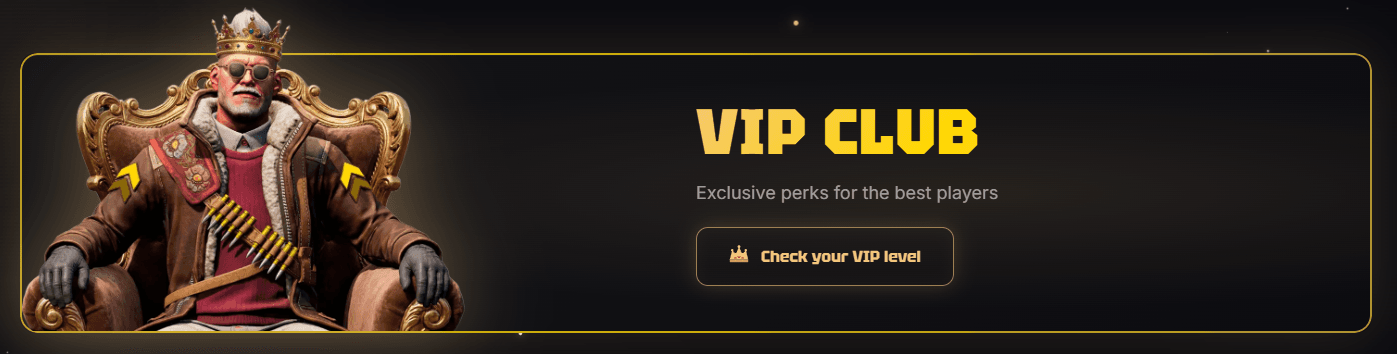
VipClub.png

The official site suggests enabling push notifications for new events, exclusive raffles, skin giveaways, personal promo codes, and bonuses. The materials we reviewed do not confirm a fixed deposit bonus, so check the promo terms right before you deposit.

VIP Club levelHow to qualifyBonuses
SilverPlay at least 40,000 Coins per monthWeekly cashback up to 5%, tournaments, holiday gifts, priority support
GoldPlay at least 80,000 Coins per monthEverything in Silver, weekly cashback up to 7%, +5% deposit bonus, Welcome skin, access to VIP Telegram
PlatinumPlay at least 160,000 Coins per monthWeekly cashback up to 10%, +7% deposit bonus, Secret Welcome skin, access to VIP Telegram, tournaments, holiday gifts, personal manager
DiamondPlay at least 400,000 Coins per monthWeekly cashback up to 15%, +10% deposit bonus, a free knife or gloves, access to VIP Telegram, tournaments, holiday gifts, personal manager

Cashback can be claimed on Fridays regardless of your VIP level.

The platform also runs events from time to time, and Streamers Battle was live when our team reviewed the site. This event turns regular upgrades into a team competition. Players choose a team, and their actions earn points for it; they cannot switch sides until the event ends. This event also featured a territory map, leaderboards, and rewards, while attempts with odds below 10% did not count.

What Upgrader offers CS2 players

Upgrader.pro is aimed at players who would rather choose their own reward and risk level than use traditional case-opening mechanics. Everything else on the platform is built around that one mechanic, including promos, the VIP Club, the Store, the live feed, and events.

The main practical risk comes from the upgrade model itself: the more expensive the target, the lower the odds, and a failed upgrade costs you the skin you put in. You do get a chance to "win back" the loss through a case, but the odds of breaking even are low.

Upgrader.pro rating: 8.1/10

Upgrader.pro gets 8.1 out of 10 thanks to its easy-to-use upgrade system, clear risk options, good interface, range of bonuses, and relatively fast withdrawals in our tests. The platform is at its best in its main mode: picking skins is easy, the animations look good, and the presets make it quick to set the upgrade value and odds. It falls short of a higher score because Provably Fair is not fully transparent, some withdrawals can take up to three hours, and there is not much variety.

Rating criterionWeightScoreWhat we checked
Fairness (Provably Fair)25%7.3/10You can view or change the Client Seed. However, the Server Seed, its history, and the Secret Salt are not available, so the system cannot be called fully transparent.
Withdrawal reliability and speed20%8.1/10During our test, withdrawing a skin to Steam took 16 minutes. Upgrader warns that the process can take up to 180 minutes, and some withdrawals may face additional checks or restrictions.
Bonuses and their value15%8.7/10The VIP Club offers weekly cashback up to 15%, deposit bonuses up to 10%, gifts, tournaments, and other rewards. The downside is that every level in this bonus system is tied to how much you spend on the platform each month.
Case variety15%6.9/10Because upgrades are the core of the site, Upgrader does not offer much variety in modes. The only variation comes from the x2, x4, x8 presets and the 35%, 55%, and 75% chance presets, but they only speed up the process.
Interface/support15%9.5/10We want to highlight the good-looking animations and easy skin selection. The catalog lets you filter skins by price and wear, and you can also search for skins manually. Support is available through site chat and email, while VIP players get priority support.
Limits/player protection10%8.0/10Before an upgrade, users can see the calculated success chance and choose presets with different risk levels. Even a high percentage can still fail, and a failed upgrade means the skin you put in is lost - the main risk of the mechanic.
Our Choice
Chicken.GG
Chicken.GG
9.3/10
4 games
Cards
Cryptocurrency
Gift Cards
+2
CS2SKIN
CS2SKIN
9.5/10
7 games
Cryptocurrency
Cards
ApplePay
+2
CSSPOT
+100% to Deposit
until 21.09.2026
MYCSGO
MYCSGO
9.2/10
6 games
ApplePay
Cards
MIR
+3

FAQ

  • Is Upgrader.pro fair?

    The site has a Provably Fair system that lets users view and change their Client Seed. However, the Server Seed, its history, and the Secret Salt are not available to users, so the system cannot be called fully transparent.

  • Can you profit from Upgrader.pro?

    You can potentially get a skin worth much more than the one you started with, but profit is not guaranteed. The more expensive the skin you want, the lower the chance of a successful upgrade.

  • What features and games does Upgrader.pro have?

    The main mode is upgrading CS2 skins, with x2, x4, x8 presets and 35%, 55%, and 75% chance presets. There is also a skin Store, site balance, VIP Club, bonuses, a live feed, and limited-time competitive events.