


Caser
Caser
Caser
9.1/10
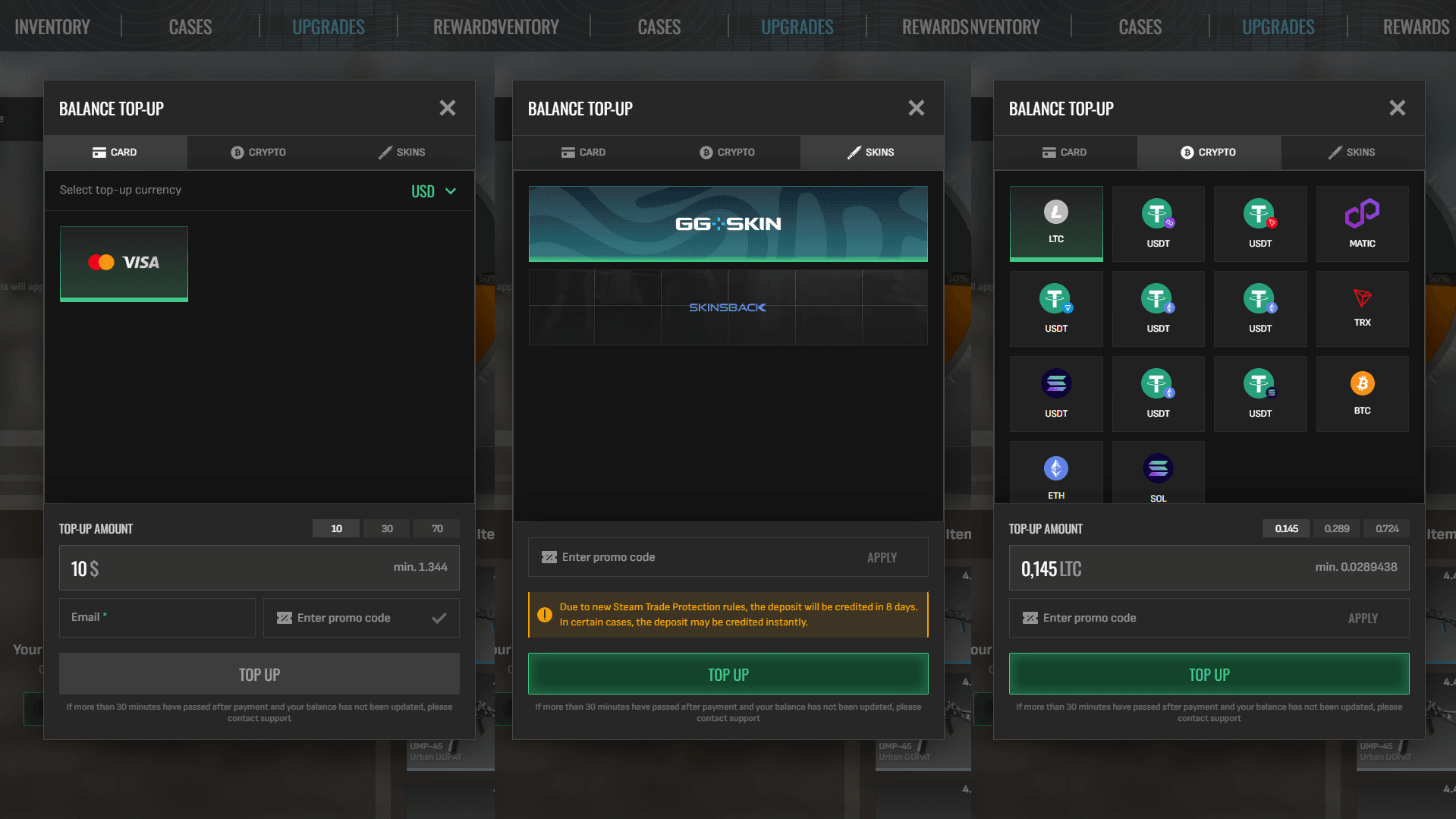
Payment methods
SBP
SBP
Cryptocurrency
Cryptocurrency
GG.SKIN
GG.SKIN
Skinsback
Skinsback
Cards
Cards
Games on the website
Cases
Upgrades
Rewards
Pick'Ems
Weekly Drop

Caser — Upgrading CS2 Skins with Cases, Rewards, and Steam Withdrawals

CaserEN.png

Caser is a CS2 case opening and skin upgrade website connected to Steam inventories. Its visible areas include Inventory, Upgrades, Rewards, and Pick'ems with a Dragon Lore prize theme. The focus stays on Counter-Strike 2 skins: case openings, upgrade attempts, weekly drops, and Steam withdrawals.

What Caser Offers
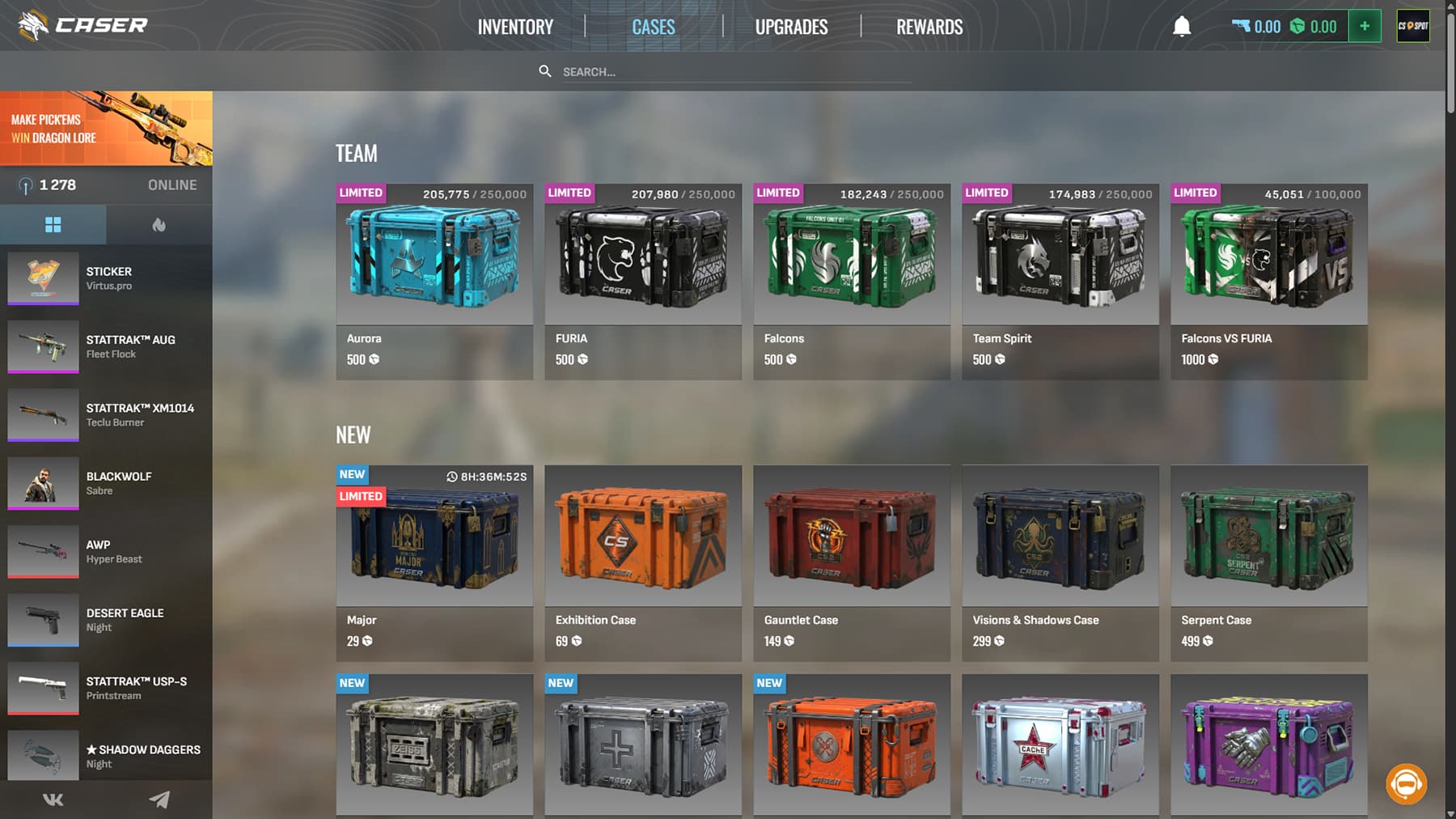
OffersCaser.avif

Some of the official cases available at Caser:

  • Gallery Case
  • Aurora Case
  • Aurora 2 Case
  • Crimson Web

Reviews mention 100+ cases sorted by color, rarity, knives, CS2-style, budget, Premium, Limited, and special collections. Prices start at 29 defuses, CS2-style cases from 69, while top-tier cases can hit 129,999 defuses.

Starting on Caser — Login via Steam

Players start by pressing Sign in via Steam. After Steam authorization, Caser unlocks the account area, inventory, balance, rewards, and upgrade tools. The login flow feels familiar if you already trade CS2 skins, because it uses Steam identity.

Use the official domain before logging in. A fake mirror can turn a quick skin check into an account problem. Keep Steam Guard active, check the browser address, and never share Steam codes in chat.
How the Skin Upgrade Feature Works

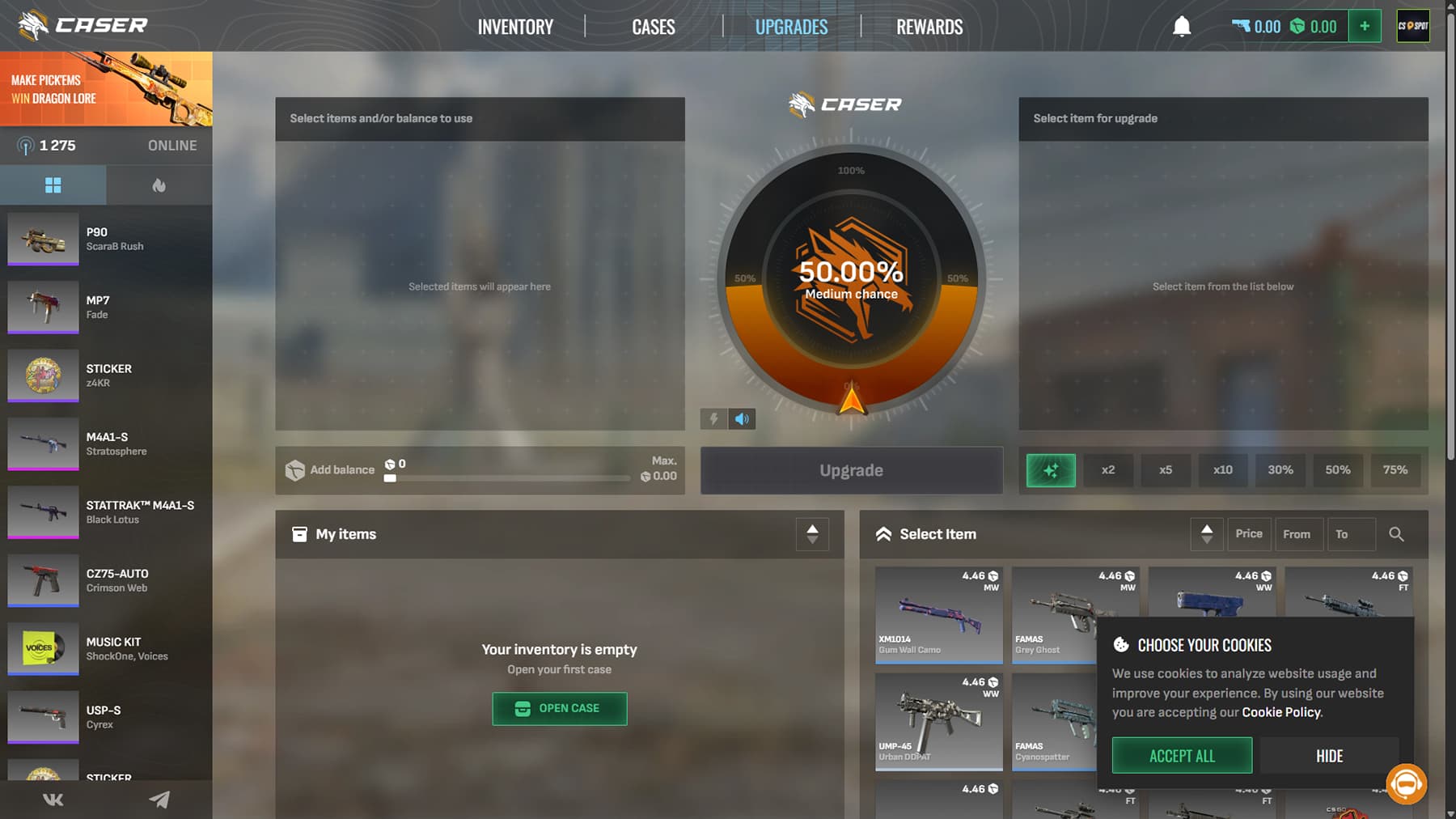
UpgradesCaser.avif

The Upgrade page lets a player place skins and/or balance on one side, then choose a target skin on the other. Caser shows the price and chance before the attempt starts. If the roll succeeds, the target item goes to the site inventory; if it misses, the selected input is spent.

Choosing Items, Balance, and Target Skins

The page splits My items and Desired items, so building an upgrade feels straightforward. Chances update instantly as you adjust inputs, which helps plan each attempt instead of guessing.

Input SkinTarget SkinChance
StatTrak Desert Eagle Crimson WebStatTrak Falchion Knife Damascus Steel10.75%
AK-47 RedlineM4A1-S Hyper Beast18.40%
AWP AsiimovKarambit Doppler6.20%

Treat upgrades like calculated shots, not all-in gambles. Spreading value across smaller attempts keeps your balance alive longer. Aim for skins you would actually equip or flip later, so even a win feels useful.

Viewing Upgrade Chances Before Playing

The displayed percentage matters most. A 10% upgrade can hit, but it can also miss many times without anything unusual happening. Higher target value usually brings lower odds.

Check the input value, target price, and chance before clicking Upgrade. If the number feels too low, step back. That pause can save both balance and mood.

Case Opening and Inventory Features

Case opening sits at the core of Caser. In one test, Aurora Case boxes cost 2,999 defuses each, with 1 defuse equal to $0.01, so a single spin lands around $29.99. Possible drops cover the usual CS2 highlights:

  • gloves and knives
  • agents
  • AWP, AK-47, Desert Eagle, and P250 skins

Every item goes straight into your site inventory first. From there, you can:

  1. keep it
  2. throw it into an upgrade
  3. send it to Steam

Always check the case price and drop pool before opening, instead of spamming clicks.

Rewards, Weekly Drops, and Promo Opportunities

RewardsCaser.avif

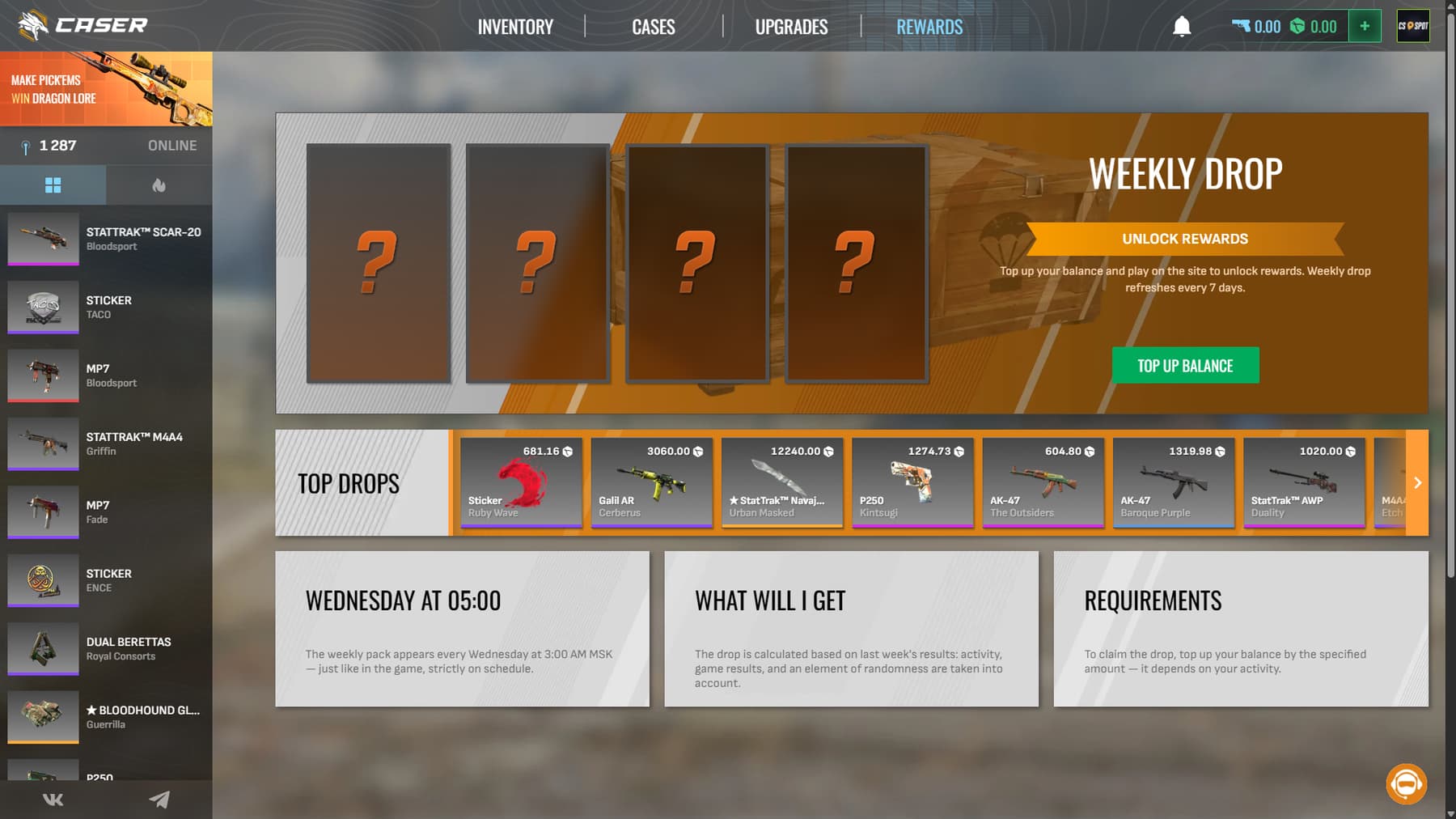
The Rewards section includes weekly drops that refresh every seven days. Reward value can depend on activity, game results, chance, and top-up conditions, so read the card before planning around it. Promo activity also appears through codes and events.

Recent promo pages mentioned a 5% deposit bonus and free CS2 skins after a minimum top-up. A bonus can stretch a small balance nicely. It should not become a reason to spend more than planned.

Deposits, Internal Balance, and Payment Options

Payments.png

Caser uses an internal balance called defuses. 1 defuse is roughly equaled $0.01, which makes pricing easier to read.

There are a few deposit methods available:

  • Mastercard and Visa
  • SBP
  • Many Crypto options
  • CS2 skin deposits

Set a budget before topping up. Cases and upgrades move fast, especially when a near-miss feels close. A fixed limit keeps the session calmer.

Withdrawing CS2 Skins Through Steam

Once your skins land in the Caser inventory, you can withdraw them via Steam trade offers or API bots. Before hitting accept, run a quick check:

  • Item name and skin
  • Exterior condition
  • StatTrak status
  • Trade partner details

Skipping this step can cost you a clean pull. Caser also sets activity requirements after certain top-ups, so make sure you’ve met them before trying to withdraw. Keep your Steam mobile app ready for confirmations, since trades won’t go through without it.

Caser lists support and partnership contacts, plus Terms of Service, Privacy Policy, Cookie Policy, AML/KYC Policy, Contacts, and a notice that it is not affiliated with Valve Corp. These pages cover account rules, age limits, refunds, verification, and withdrawals.

AreaWhat to Check
SecuritySteam Guard enabled, no shared PCs
VerificationRespond only via official support
PoliciesRead ToS, AML/KYC, withdrawal rules

Stick to these basics and your account stays safe while you focus on skins and upgrades.

FAQ

  • Is Caser only for CS2 skins?

    Yes. Caser focuses on Counter-Strike 2 skin cases, upgrades, rewards, and Steam withdrawals. The visible product is not built around sports betting or standard casino games.

  • How much does opening a case cost on Caser?

    Reported prices start from 29 defuses, while Aurora Case was tested at 2,999 defuses. Prices vary by case type, rarity pool, and promotion, so check the case card first.

  • Can players upgrade skins on Caser?

    Yes. Players choose input skins or balance, select a target skin, view the success chance, then start the upgrade. A successful roll adds the target item to the site inventory.

INCREASE YOUR DEPOSIT NOW
Our Choice
HyperDrop
HyperDrop
9.8/10
SkinRave
SkinRave
9.9/10
MYCSGO
MYCSGO
9.2/10