On the PlayDrop homepage, you'll find convenient buttons to log in via Steam or VK, a promo code that provides a bonus on your first deposit, sections with answers to frequently asked questions and user feedback, and most importantly – a list of available CS2 cases. PlayDrop stands out for its diverse categories of containers, allowing everyone to find the perfect option with the desired skins:
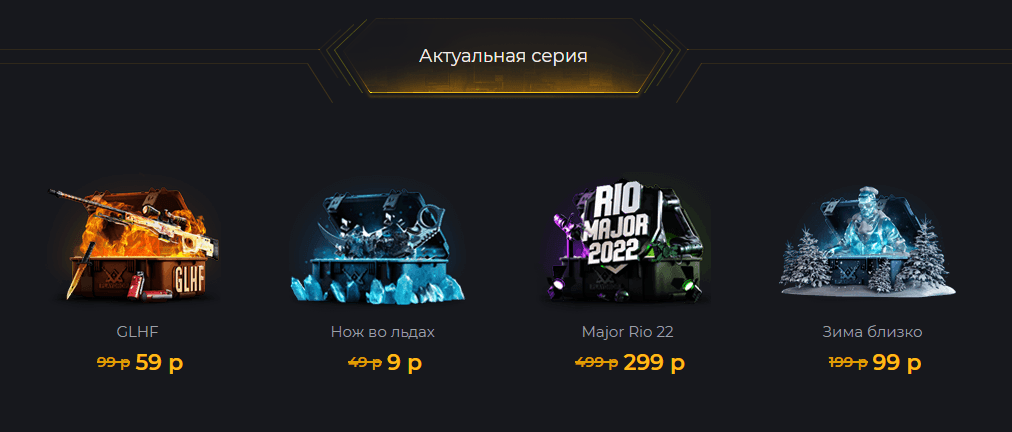
- Current Series: The platform’s top five cases from the past 24 hours, including the most affordable lootbox, with periodic updates to the remaining options.
- Exclusive Series: A limited collection of CS2 cases with valuable gloves and knives, offering a high chance of obtaining quality drops.
- Classified Cases: A category of containers with items of varying rarity, following CS2’s standard classification – from military-spec to covert. This category also features a knife case, which can have discounts of up to 50%.
- Personalized Cases: The most diverse section on PlayDrop, offering various sets such as branded collections from popular streamers, "All or Nothing" boxes with only a few skins, weapon-specific cases, gradient-themed boxes, and even a free case where valuable items are raffled every two hours.
In addition to the options above, PlayDrop also offers sections with classic and collectible cases. Despite the traditional Valve-style design, interacting with these CS2 cases is much more convenient – there’s no need to launch the game, pay Valve’s fixed price, or wait for restrictions to be lifted from purchased items.
How to Open CS2 Cases
The login procedure on PlayDrop is no different from other top cs2 case sites. Access to knives and gloves requires verification and account funding. The arsenal of lootboxes can be previewed by clicking on an icon, which automatically opens a new tab. The selection varies: some boxes contain exclusive items that reflect their cost, while others offer a couple of skins, such as Dragon Lore or "Worm God." The drop outcome is determined by a random number generator, giving everyone a chance to build a valuable inventory.
Creating an Account on PlayDrop
PlayDrop stands out from competitors by offering two quick registration methods: using Steam credentials or a VK account. Logging in grants access to a personal dashboard, where users can fund their balance, get a referral link for the affiliate program, activate promo codes, and link a Trade-URL for transferring skins to a Steam inventory. The dashboard also displays items available for trade or sale.
Deposits and Skin Withdrawals
When choosing a method to fund your PlayDrop balance, clients have access to a variety of financial services:
- Transfers from Visa, MasterCard, and "Mir" bank cards: Players can deposit directly to PlayDrop via these cards.
- Payments via e-wallets like YooMoney: Funds can be transferred from popular electronic payment systems.
- Skin transfers through the Skinify platform: Users can convert skins from their Steam inventory to their PlayDrop balance.
- Cryptocurrency deposits, including Bitcoin.
Clients can fund their balance with any amount, with no minimum deposit limit. However, Steam Wallet funds cannot be used to top up PlayDrop balances. Users must utilize alternative methods described above.